

This is how testing works. No surprises.
By hand, only with written permission and with evidence for every finding. This page covers what gets tested, what never happens, how severity is decided and what you get.
How it works
How a job runs
Everything can be done by email. The test starts by arrangement, usually within two weeks of the scope being fixed. No test environment? HackIndex sets one up for you.
-
Intake
By email or in a short call: what needs testing, why and when.
-
Scope
The test is scoped. A fixed price follows.
-
Agreements
NDA, written permission and access to the test environment, or to your hosting when HackIndex sets it up.
-
Test
Manual, with tools as an aid, in the evenings and at weekends. Critical findings are reported straight away.
-
Report
Within 10 working days of the test, with the evidence and the fix for each finding, followed by a debrief.
-
Retest
Optional: once fixed, every finding is tested again. Included from Standard.
Who tests
One point of contact, from intake to retest
-
No account manager
You email the tester directly. Questions about scope or a finding are answered by the person doing the work.
-
No subcontractors
Your app, your code and your data are seen by nobody but the HackIndex tester.
-
OSCP certified
Certified by OffSec, with a background as a developer in Laravel, WordPress and React Native.
What you share
Black, grey or white box
How much you share up front decides what the test can see. The testing time stays the same, the coverage does not.
| What the test sees | Black box Only the URL | Grey box Test accounts per role | White box Recommended Accounts, code and docs |
|---|---|---|---|
| The public side What someone without an account sees | Yes | Yes | Yes |
| Everything behind the login Features per role | Only if getting in succeeds | Yes | Yes |
| Permissions between roles and customers | Limited | Yes | Yes, in the code too |
| Flaws you cannot see from outside Background jobs, settings, keys | No | No | Yes |
| Testing time spent exploring | A lot | Some | Little |
With the code at hand, time goes into searching instead of guessing. The same test days cover more of your app.
A flaw that is hard to reach from outside is simply on a line in the code. White box does not miss it.
Read access that you revoke afterwards. The code is covered by the NDA and only used for this test.
Rules
What always happens, and what never does
These agreements are set down together before the test starts. That way you know exactly what will and will not happen.
ALWAYS In every test
- Written permission up front From you, and from your hosting or cloud provider when they ask for it.
- Only within the scope and the test window The addresses, roles and test window agreed together. Nothing more.
- From IP addresses announced beforehand You receive the addresses beforehand, so you recognise test traffic in your logs and do not block it.
- An emergency contact on your side Someone who can be reached when something critical is found or something unexpected happens.
- Stop and report a real breach If something points to someone else having hacked you already, the test stops and you hear about it right away.
NEVER In no test at all
- Testing in production Only on a test environment or a copy HackIndex sets up. Your live site stays outside the test.
- Taking your app down No load tests and no attacks that make your service unreachable.
- Changing or deleting data Existing data stays as it is. What the test creates is listed in the report so you can clean it up.
- Taking more data than needed Just enough to prove a finding. Personal data is masked in the report.
- Contacting your staff No phishing or calls to your team, unless that is agreed separately.
- Testing systems of others Third-party integrations only as far as that party gives permission.
Severity and reporting
How severity is decided, and when you hear about it
Every finding gets a CVSS score in version 4.0 and 3.1, so you can compare it with other reports and advisories.
| Severity | CVSS 4.0 | When you hear about it | Example |
|---|---|---|---|
| Critical | 9.0 to 10.0 | The same day by email, and by phone through your emergency contact | All customer data without an account |
| High | 7.0 to 8.9 | Within one working day | A regular user can make themselves an administrator |
| Medium | 4.0 to 6.9 | In the report | A session stays valid after logging out |
| Low | 0.1 to 3.9 | In the report | An error message shows the version of your framework |
| Informational | 0.0 | In the report | Advice to improve your security further |
The same flaw weighs more in your payment flow than in an internal tool. When the severity differs from the CVSS score, the report says why.
A critical flaw does not wait for the report. You hear about it as soon as it is confirmed, so you can act right away.
The report
What the report contains
For the one who decides and the one who fixes it. In Dutch or English, shared encrypted, within 10 working days of the test. On request a one-page statement for your auditor. HackIndex can fix findings as a separate assignment, for Laravel, WordPress, WooCommerce, Magento, PHP, Node.js and Python.
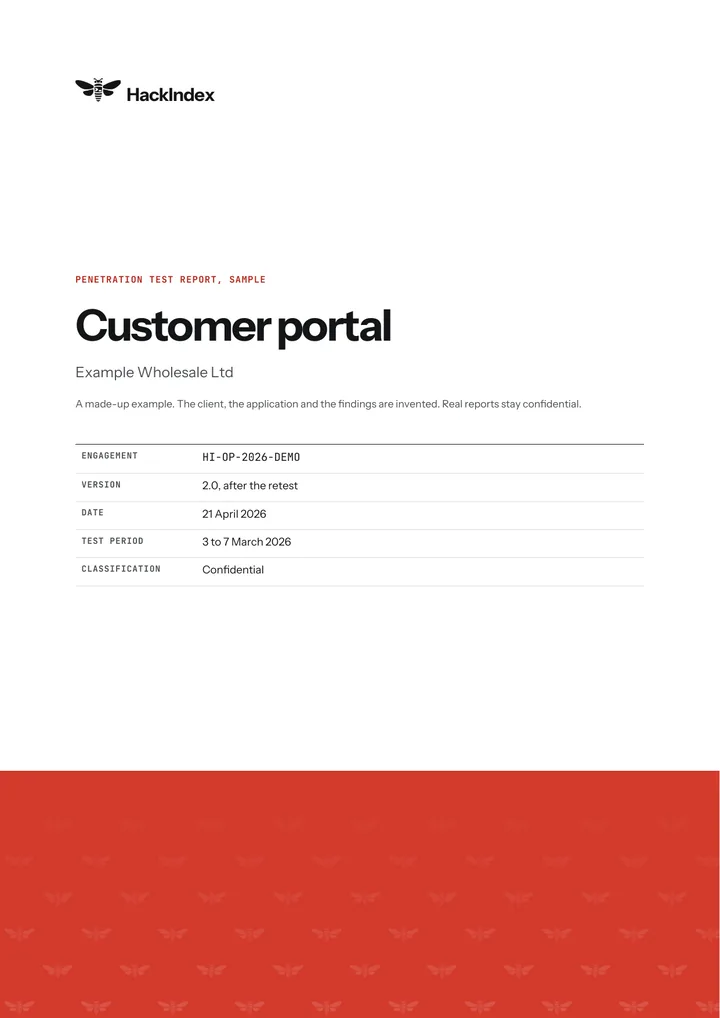
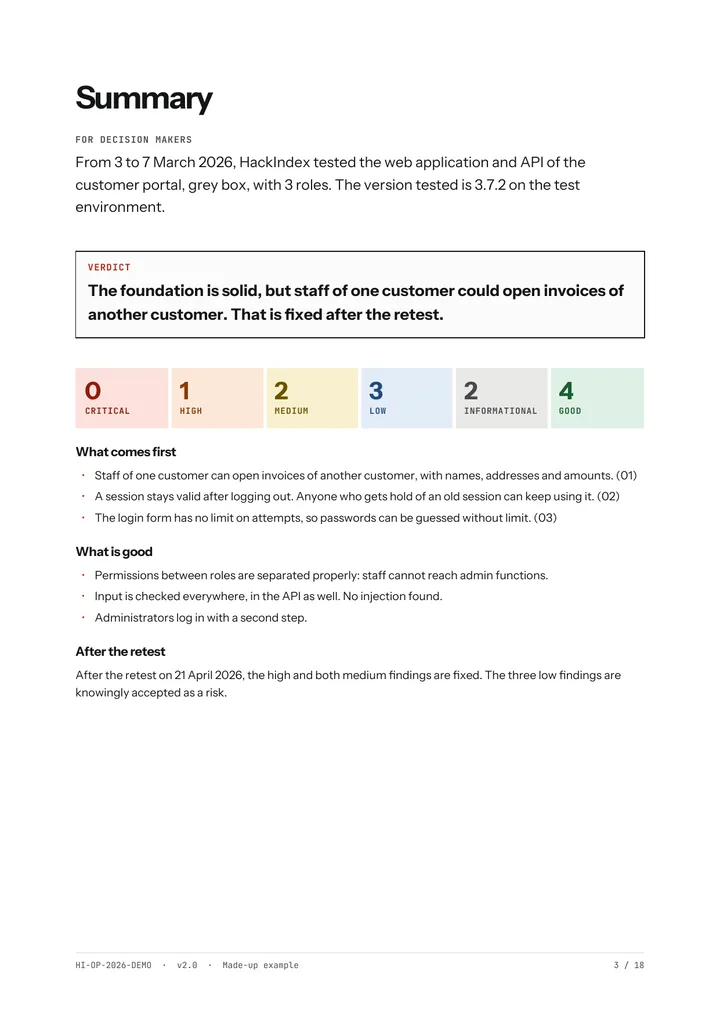
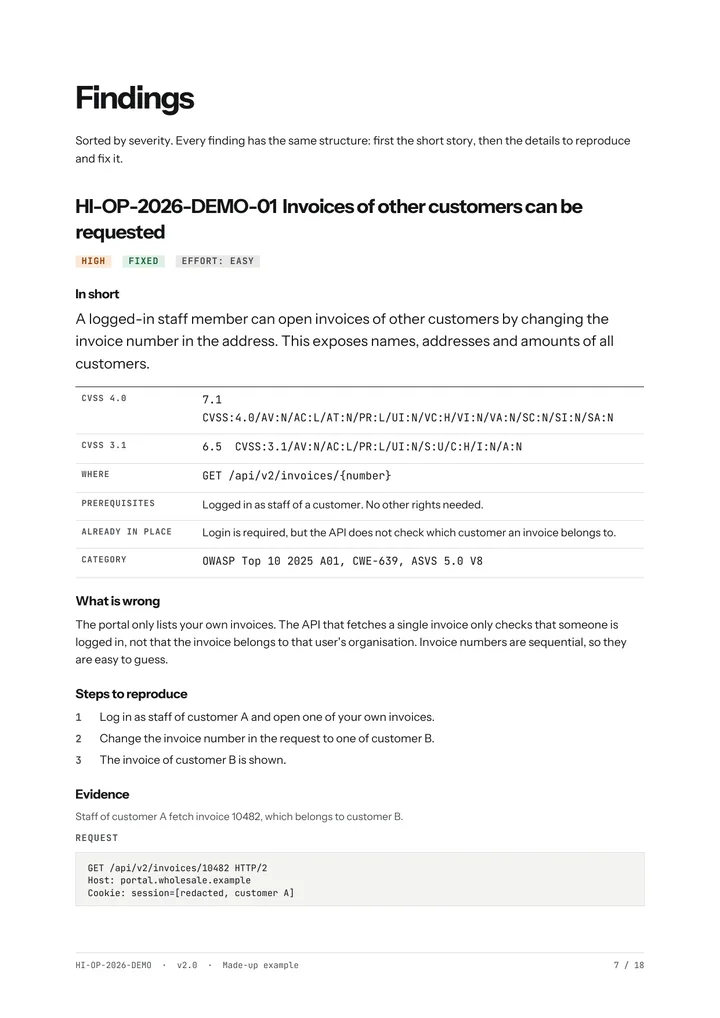
- Summary for decision makers What was found, how bad it is and what comes first. Without jargon, on one page.
- Scope and accountability What was tested, on which days, from which IP addresses and with which approach. Useful for your auditor.
- What was not tested Parts that fell outside the scope or could not be reached, with the reason. So you know where your blind spots are.
- For each finding Reference, severity with CVSS, evidence, impact and a fix that fits your stack.
- Retest After fixing, the status of each finding. The report is updated, so you have one current document.
View the sample report An 18-page PDF, with made-up data.
Retest
Once fixed, every finding is tested again
- Included
- In Standard and Extended. Available separately with Basic.
- How often
- One retest per job
- Within
- 90 days of the report
- Result
- Updated report with the status of each finding
- Fixed The flaw is gone and the fix works. Also checked whether it comes back another way.
- Partly fixed The risk is smaller, but not gone. The report says what is still needed.
- Not fixed The flaw still works. You get an explanation of why the fix did not work.
- Risk accepted You choose not to fix this. It stays visible in the report, with your reason.
Your data
What happens to your data
A tester sees your app, your code and sometimes personal data. This is what happens to it, from before the test until after the report.
-
Before Agreements
- NDA and waiver signed before the start
- Test accounts and access for this job only
- Code through read access, not by email
-
During Testing
- Evidence stored encrypted
- Only the minimum data needed to prove a flaw
- Personal data masked in screenshots
-
After Cleaning up
- Report shared encrypted, with PGP or an encrypted link
- You revoke test accounts and read access, HackIndex checks that it worked
- Raw test data stored encrypted, deleted a year after the report
Reference points
What the test builds on
-
OWASP WSTG
What a web test covers
-
OWASP ASVS 5.0
What a secure application has to meet
-
OWASP MASVS
The same for mobile apps
-
CVSS 4.0 and 3.1
How severity is scored
The exact test cases and tools are shared with clients, not published.
To be fair
What a pentest is not
-
No guarantee
A pentest is a snapshot of an agreed scope. What was not found can still be there.
-
No scan
A scanner runs in minutes. A pentest takes days, because flaws in permissions and logic can only be found by hand.
-
No end point
Every release changes your app. After big changes a test or review of just the new part pays off. A yearly arrangement is possible too, with a price agreed together.
Frequently asked questions about the approach
Which tools are used?
Tools help to get through known patterns quickly. The weight is on manual work. Which tools exactly is listed in the report under accountability.
Can the test run on production?
No. Testing only happens on a test environment, never on your live site. No test environment? HackIndex sets up a copy, for common sites at no extra cost.
Will my users notice the test?
No. Testing never happens on your live site, only on a test environment or a copy. Testing happens in the evenings and at weekends.
What if I want to stop the test?
Call or email. The test stops as soon as the message is seen and only continues when you say so.
How do I request a retest or follow-up test?
Through the request form or by email, with the reference of your report. The retest is included in Standard and Extended. You can request it up to 60 days after the report.
Does HackIndex use AI?
As an aid, never instead of the tester. Every finding is checked by hand. AI runs on HackIndex's own equipment, and with an external provider under a business agreement, without training on your data. Only source code and report text go there. Prefer own equipment only? Say so before the start, it costs nothing extra.
Get your app tested.
Briefly describe what needs testing. You get a proposal with a fixed price and these agreements on paper.